Pins
Overview
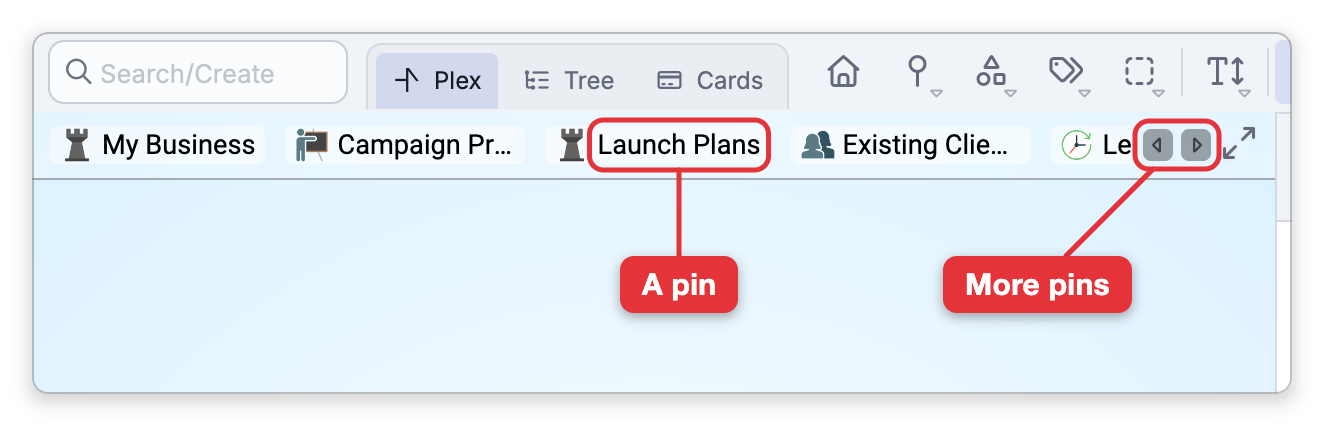
Pins are quick-access bookmarks for thoughts you come back to often. When you pin a thought, it joins your pins bar, so the thoughts that matter most are always one click away no matter where you've navigated to in the brain. Pins are per-brain, so each brain keeps its own set.
How to Pin a Thought
- Right-click the thought.
- Choose Pin Thought.
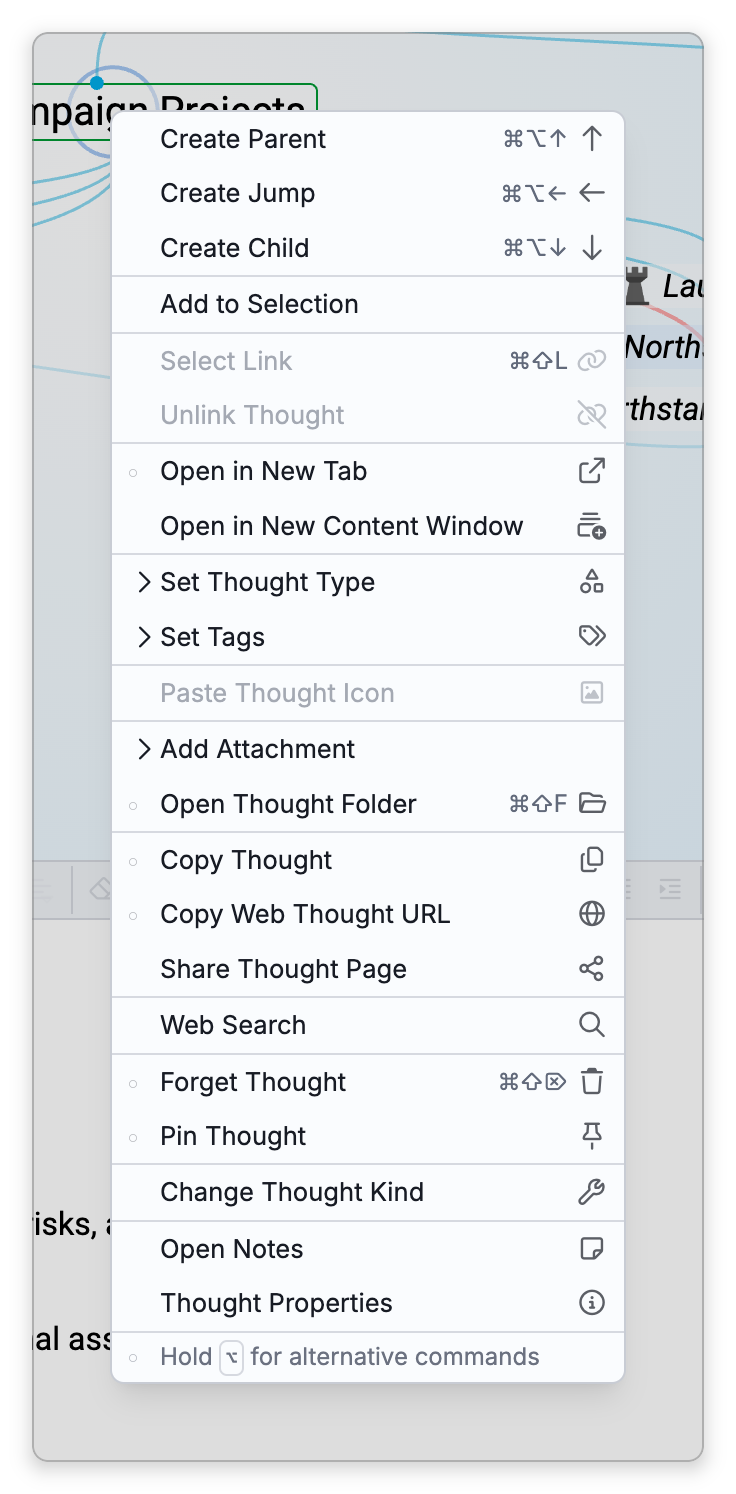
The thought appears in the pins bar, which runs along the top of the Plex. To remove it, right-click it again and choose Pin Thought to toggle it off (unpin). You can reorder pins by dragging them within the bar.
Activating a Pin by Number
The first eight pins can be activated straight from the keyboard. The default shortcuts are Ctrl+1 through Ctrl+8 (⌘1 through ⌘8 on Mac), where Ctrl+1 activates the first pin, Ctrl+2 the second, and so on.
Showing and Arranging Pins
- Show Pins in Plex — Shows or hides the pins bar (it's the same setting as "Show pins list"). It is at the bottom of the menu that the Pins button on the brain toolbar opens. In the desktop app on a Mac, it is also in the View menu of the menu bar.
- Filter Pins — On a phone, the pins panel has a Filter Pins box that narrows a long list of pins as you type.
- Pins bar settings — In Settings > Brain > Personal Settings, the Pinned/Past Thoughts Lists options let you show or hide the pins list, set its text size and maximum width, and choose how truncated thought names expand. The same area controls the past thoughts list, the row of recently visited thoughts along the bottom of the Plex — see Past Thoughts List.
Where Your Pins Are When the Pins Bar Isn't Showing
The pins bar is shown only in the Plex navigation mode, on screens wider than a phone, and while Show Pins in Plex is on. When it isn't showing, your pins are still close at hand:
- The Pins button — On the brain toolbar, Pins opens a list of every pin; click one to go to it. Below the list are a Pin Thought item that pins or unpins the current thought, and Show Pins in Plex.
- Tree View — The tree lists your pins in a Pins section.
- On a phone — The Pins button on the bar at the bottom of the screen opens a panel that lists your pins.

Syncing, Sharing, and Limits
Pins are saved in the brain itself, not on one device:
- They sync — Pins sync with the brain, so your other devices show the same pins in the same order.
- They are shared — In a shared brain, the other people who use it see the pins you add. Pinning, unpinning, and reordering all change the brain, so each needs write access to it, and each can be reversed with Undo.
- New pins go last — A new pin goes to the end of the list, and only the first eight have keyboard shortcuts.
What is personal is whether the pins bar is shown. In a shared brain, turning Show Pins in Plex (Show pins list) on or off changes only your own view — see Personal Settings.
- Pinning never changes a thought's place in the brain — it's purely a shortcut. Unpinning a thought leaves the thought itself untouched.
- For the single thought you can always jump back to, see Home Thought; pins are for the several thoughts you want at hand.