Content Area Settings
Overview
The Content Area settings (under Settings > User) control how the open thought's content — its properties header, notes, and attachments — is laid out and behaves. These are personal preferences for your reading and editing comfort, and they follow your account.
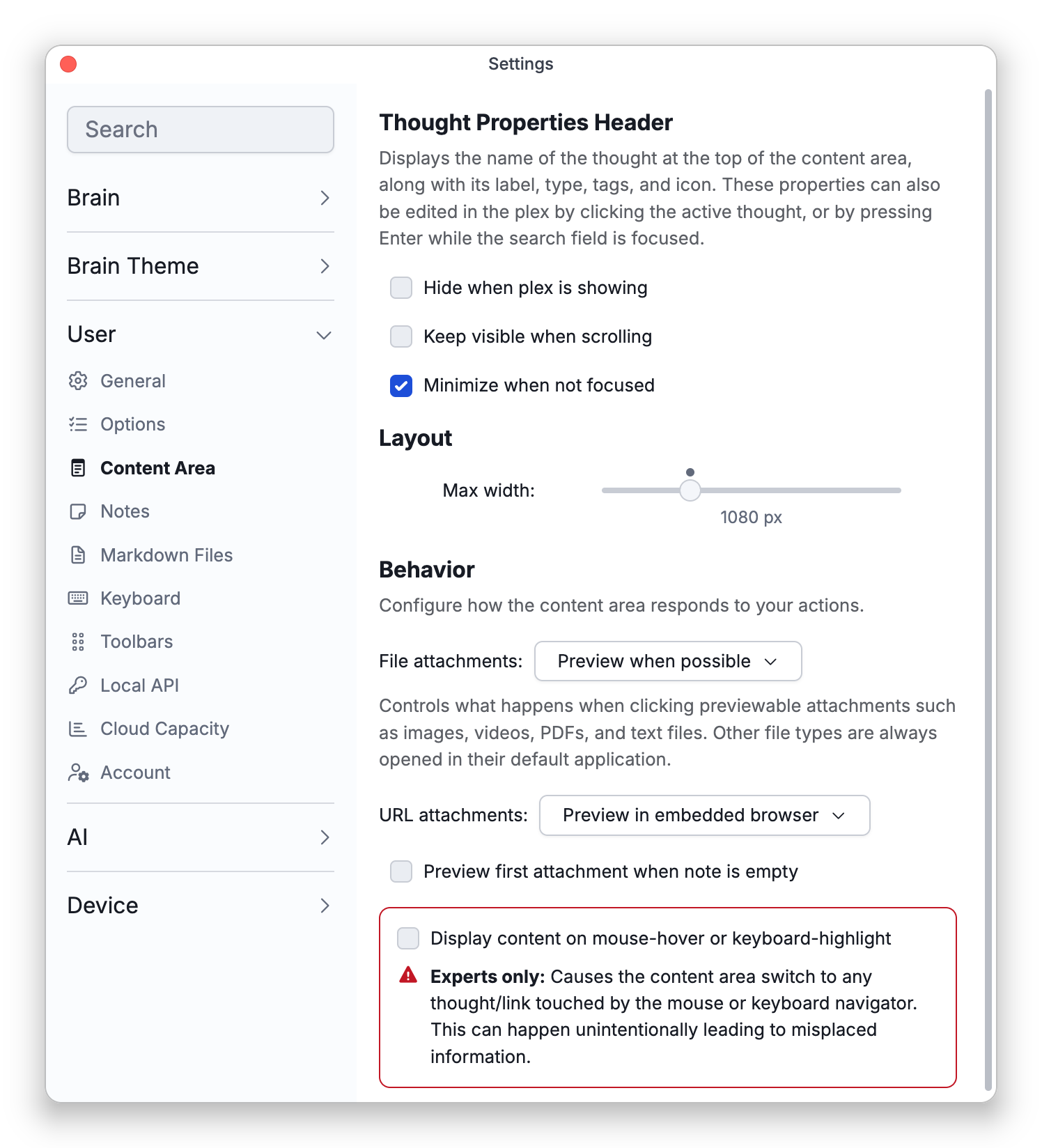
Thought Properties Header
These options are hidden on phones.
- Hide when plex is showing — keep the header out of the way while navigating.
- Keep visible when scrolling — pin the header as you scroll a long note.
- Minimize when not focused — collapse the header's controls until you need them.
Layout
- Max width — Cap how wide notes get for comfortable line length, or set No limit.
Behavior
- File attachments — What clicking an attachment that can be previewed, such as an image, video, PDF or text file, does: Preview when possible (the default) shows it in TheBrain, and the other choice opens it in its default app instead (Open in default application, in the desktop and mobile apps) or downloads it (Download, in the web app). Other kinds of files always open in their default app, or download in the web app. Hidden on phones.
- URL attachments — On the desktop app and tablets, choose whether link attachments, and web links you follow in notes, backlinks and mentions, open in TheBrain's embedded browser (Preview in embedded browser, the default) or in your own browser (Open in external browser).
- Preview first attachment when note is empty.
- Display content on mouse-hover or keyboard-highlight — an advanced option flagged "experts only"; leave it off unless you know you want it. It isn't shown on phones and tablets.
- Two options moved elsewhere: Include template name in file name when creating from template is now under Settings > User > Options (in its Other section), and Maximize the navigation/content area when double-clicking on their backgrounds is now under Settings > User > General.
- Some content-area options are set for each brain rather than here: hero images and the line spacing and line gap of notes are under Settings > Brain > Content Settings (see Brain Content Settings), and the backlinks, mapped links and unlinked mentions sections and the attachment layout are under Settings > Brain > Personal Settings.